
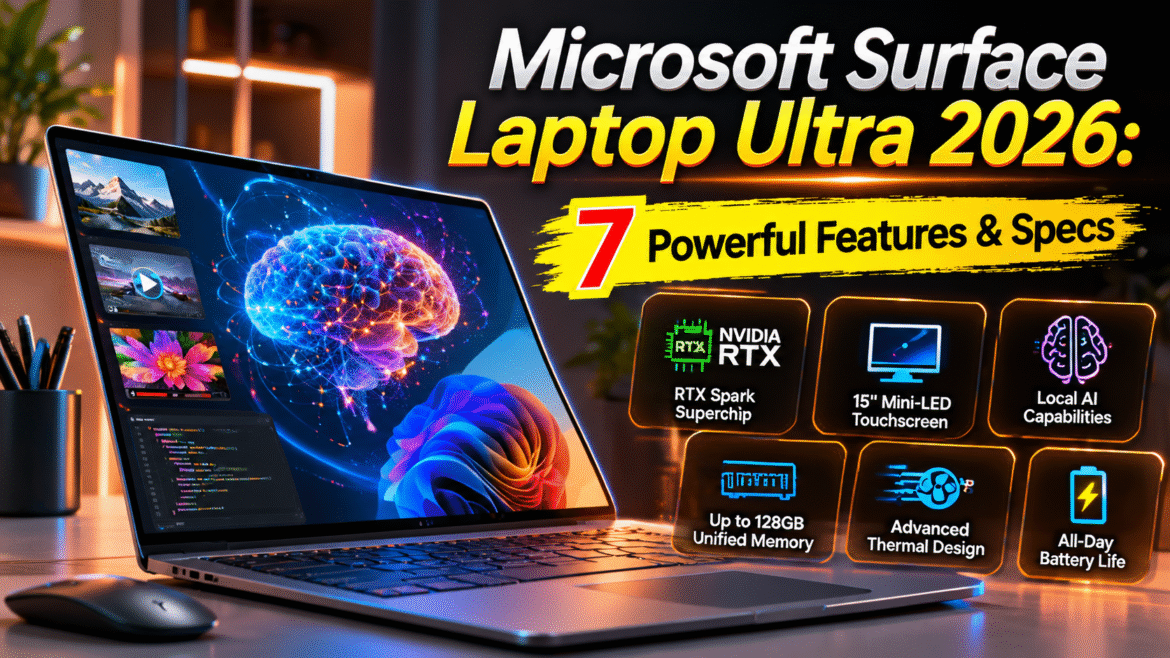
The Microsoft Surface Laptop Ultra 2026 is a premium Windows laptop aimed at developers, creative professionals, and users who want powerful local AI capabilities in a portable workstation. It combines a 15-inch touchscreen, NVIDIA graphics, high-memory configurations, and a design focused on demanding creative and computing tasks.
Unlike a typical laptop built mainly for everyday browsing and office work, the Microsoft Surface Laptop Ultra 2026 is positioned around workloads such as AI experimentation, software development, video editing, and 3D creation. Microsoft says the device was developed with NVIDIA and optimized for Windows and RTX-based workflows.
This review looks at its design, hardware, display, AI capabilities, performance expectations, battery life, pricing, and potential drawbacks. It also explains who should consider the laptop—and who may be better served by a more affordable option.
7 Standout Features of Microsoft Surface Laptop Ultra 2026
The Microsoft Surface Laptop Ultra 2026 is built around a different idea of a premium laptop: combine a portable Windows computer with powerful graphics and the ability to experiment with AI models locally. Here are seven areas worth understanding before considering it.
1. NVIDIA RTX Spark Superchip
The most distinctive component of the Microsoft Surface Laptop Ultra 2026 is its NVIDIA RTX Spark Superchip platform. Microsoft lists a combination of an NVIDIA Grace CPU, Blackwell RTX graphics, and unified memory, with configurations reaching up to 20 CPU cores, 6,144 GPU cores, and 128GB of unified memory.
This hardware is designed for workloads that can benefit from GPU acceleration, including local AI inference, 3D graphics, and certain creative applications.
The important point is that these are maximum configuration specifications. The entry-level configuration has less memory and a different GPU core count, so buyers should check the exact model rather than assuming every version has the highest specifications.
2. A 15-Inch Mini-LED Touchscreen
The display is another major attraction of the Microsoft Surface Laptop Ultra 2026.
Microsoft describes its 15-inch PixelSense Ultra touchscreen as its brightest and sharpest Surface Laptop display to date. It is intended for creators who need to review footage, work with visual assets, annotate designs, and inspect detailed content.
A bright, high-quality display can be useful for:
-
Editing photographs and videos.
-
Reviewing designs and illustrations.
-
Working with documents and spreadsheets.
-
Viewing detailed timelines and creative interfaces.
However, a reflective screen may be less comfortable in direct sunlight or bright environments. Display quality should be judged alongside glare, color accuracy, and the kind of work you actually do.
3. Local AI Model Support
The Microsoft Surface Laptop Ultra 2026 is designed to run certain AI models directly on the computer instead of relying entirely on cloud services.
Microsoft says the system can run models exceeding 120 billion parameters under suitable configurations and software conditions. That statement describes a capability associated with the hardware platform, not a guarantee that every model will run quickly or fit on every version of the laptop.
Local AI may appeal to developers who want to test models, work with private datasets, or explore AI applications without sending every request to a cloud service.
Still, local execution is not automatically more private or secure. Users need to understand which applications access their files, whether data is transmitted externally, and how model outputs are stored.
4. Unified Memory for Demanding Workloads
The Microsoft Surface Laptop Ultra 2026 uses unified memory, allowing the CPU and GPU to share a common memory pool.
Microsoft offers configurations up to 128GB, while the entry-level version listed in its store has 24GB.
Unified memory can be useful for AI and creative workloads that need substantial memory for models, textures, or large projects.
But more memory does not automatically make every application faster. Performance also depends on the processor, GPU architecture, software optimization, and the task being performed.
For buyers, the practical lesson is simple: choose a memory configuration based on the software and workload you expect to use, not only the largest number shown in a product advertisement.
5. A Thermal System Designed for Sustained Performance
High-performance components generate heat, and a thin laptop needs a cooling system that can manage it.
Microsoft says the Microsoft Surface Laptop Ultra 2026 has a redesigned thermal system with up to 2.5 times the thermal capacity of the Surface Laptop 15-inch, 8th Edition. The company says the design aims to sustain demanding workload while keeping fan noise lower.
That is a manufacturer claim about cooling capacity, not a promise that the laptop will remain silent or cool under every workload.
Independent testing is more useful for understanding real temperatures. Tom’s Hardware reported that the laptop could become warm during stress testing, while its battery test results showed that demanding work affects endurance.
6. Magnetic USB-C Charging and Useful Ports
The Microsoft Surface Laptop Ultra 2026 introduces Microsoft’s Magnetic Connect charging feature, using a magnetic attachment for a USB-C charging connection.
The laptop also includes a broader selection of ports than some slim premium computers. Microsoft’s published port list includes additional USB-C ports, HDMI, USB-A, an SD card reader, and a headphone jack.
This can reduce the need for adapters when importing media, connecting displays, or using accessories.
The magnetic charging connection is a convenience feature; it does not replace checking whether the included charger and cable meet your power needs.
7. Windows on Arm and Creative Workflows
The Microsoft Surface Laptop Ultra 2026 uses an Arm-based computing platform. This is important because software compatibility can differ from that of traditional Intel- or AMD-based Windows laptops.
Native Arm applications may perform differently from applications that rely on emulation. Microsoft and NVIDIA are working to make the platform useful for AI and creative workflows, but users should check the software they depend on before buying.
For example, a developer should verify compatibility with their programming tools, libraries, and virtual machines. A creative professional should check their editing software, plugins, and hardware accessories.
The laptop’s GPU capabilities are promising, but software compatibility remains a key part of the buying decision.
Microsoft Surface Laptop Ultra 2026: Price and Configurations
Price is one of the biggest factors to consider. Microsoft’s US store lists the Microsoft Surface Laptop Ultra 2026 starting at $2,599.99 for a configuration with 24GB unified memory and a 512GB SSD. Higher configurations are available, and some reviews report prices reaching approximately $5,899 depending on the configuration and retailer.
| Configuration detail | What to know |
|---|---|
| Starting US price | $2,599.99 |
| Entry configuration | 24GB unified memory, 512GB SSD |
| Higher memory options | Up to 128GB unified memory |
| Storage | Configuration-dependent |
| Operating system | Windows 11 |
Prices can change by retailer, region, taxes, and configuration. These are US prices, not confirmed prices for Pakistan or other markets.
For the Microsoft Surface Laptop Ultra 2026, also check the cost of accessories, warranty coverage, and local service availability before making a purchase.
Battery Life and Everyday Performance
A premium laptop should not only perform well when connected to a charger. It should also be practical for travel, meetings, and everyday work.
Independent tests suggest battery life is a mixed area for the Microsoft Surface Laptop Ultra 2026. Tom’s Hardware reported approximately 10 hours and 43 minutes in its specific battery test, while The Verge described results ranging from roughly 7 to 10 hours depending on workload. These figures come from different testing methods and should not be treated as a universal battery estimate.
AI workloads, GPU-heavy applications, display brightness, and gaming can consume power more quickly than basic browsing or document editing.
For everyday users, this means the laptop may be suitable for a workday depending on their tasks and settings, but people who frequently work away from outlets should look closely at independent battery testing.
Microsoft Surface Laptop Ultra 2026: Pros and Cons
Pros
-
Strong graphics and local AI capabilities for compatible workloads.
-
High-quality 15-inch touchscreen with mini-LED technology.
-
Configurations with substantial unified memory.
-
Useful range of ports, including HDMI and SD card reader.
-
Premium design and haptic trackpad.
-
Potentially useful for developers and creative professionals.
Cons
-
Very high starting price compared with ordinary laptops.
-
Battery life can fall during demanding tasks.
-
Some software may need emulation or compatibility work.
-
Maximum specifications are not available in every configuration.
-
Local AI workflows may require technical setup.
-
Gaming compatibility and performance can vary by title.
The Microsoft Surface Laptop Ultra 2026 is best judged as a specialized high-end computer, not simply as a general-purpose laptop with a premium price tag.
Who Should Consider Microsoft Surface Laptop Ultra 2026?
The laptop may be worth evaluating for:
AI developers: People who want to experiment with local inference, model workflows, and GPU-accelerated applications.
Creative professionals: Video editors, designers, and 3D creators whose applications benefit from graphics performance and a high-quality display.
Technical power users: Developers and professionals who need substantial memory and a portable workstation for complex projects.
It may be less suitable for students or everyday users who mainly browse the web, attend online classes, write documents, or watch videos. A less expensive laptop can often handle those tasks comfortably.
Read more: The Rise of AI Smartphones as Virtual Assistants: A New Era of Smart Living
Frequently Asked Questions
1. What is Microsoft Surface Laptop Ultra 2026?
It is a premium Windows laptop built around NVIDIA’s RTX Spark platform, with a focus on local AI, graphics-intensive application, and demanding creative and technical workloads.
2. How much does Microsoft Surface Laptop Ultra 2026 cost?
Microsoft’s US store lists a starting price of $2,599.99. Higher configurations can cost considerably more. Check the official store for current prices and available configurations.
3. Can Microsoft Surface Laptop Ultra 2026 run AI models locally?
Yes, it is designed for local AI workloads. The models that can run, their speed, and the memory required depend on the selected configuration and software.
4. Is Microsoft Surface Laptop Ultra 2026 good for gaming?
It can run compatible games, and its NVIDIA graphics are capable of accelerating supported workloads. However, Windows on Arm compatibility and game-specific performance vary, so it is not the safest choice if gaming is your only priority.
5. Is Microsoft Surface Laptop Ultra 2026 worth buying?
It may be worth considering if you specifically need local AI capabilities, graphics performance, or a high-memory portable workstation. For routine browsing and office work, its price is difficult to justify.
Final Verdict
The Microsoft Surface Laptop Ultra 2026 is an ambitious premium laptop built for people who need more than basic productivity. Its combination of NVIDIA graphics, unified memory, a bright touchscreen, and local AI support makes it interesting for developers and creative professionals.
Its biggest limitation is the price. Battery life, software compatibility, and the difference between entry-level and maximum configurations also deserve careful attention.
Before purchasing the Microsoft Surface Laptop Ultra 2026, identify the applications you plan to use, verify that they work well on Windows on Arm, and compare the exact configuration with alternatives. If its specialized capabilities match your workflow, it could be a compelling machine. If not, a more affordable laptop may offer better value.